Download Fittar
Short workouts at home, meals logged with a photo and an AI coach in your WhatsApp.
- 3 months
- €29
- 6 months
- €49
- 12 months
- €89
Pay once, no subscription

Scan with your phone cameraOn a computer? This opens the page on your phone.


Paid on this website? Sign in with the email address you paid with. No period yet? Choose one here, or pay in the app.
Pay once. It does not renew, so there is nothing to cancel.
What the app does when life gets in the way
Then do five minutes. Your phone camera counts your reps, no watch or strap needed.
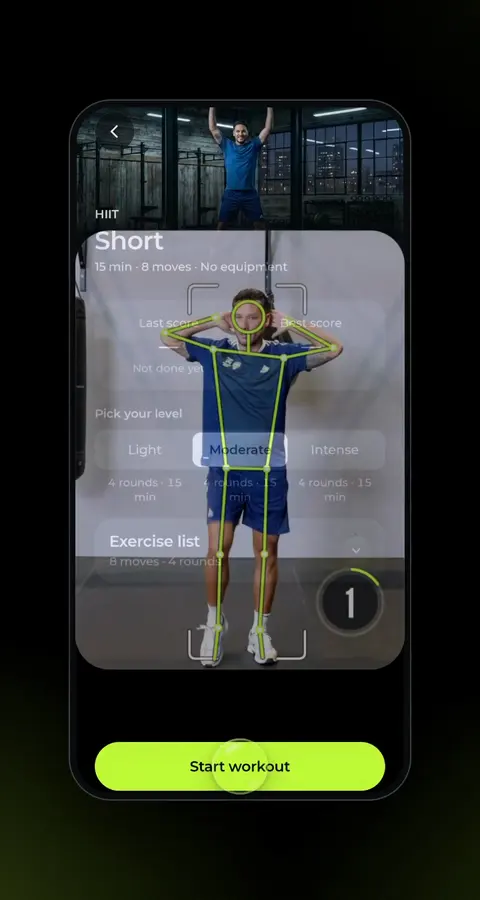
Recordings from the app itself. The app is available in English and eight other languages.
What is inside
Movement
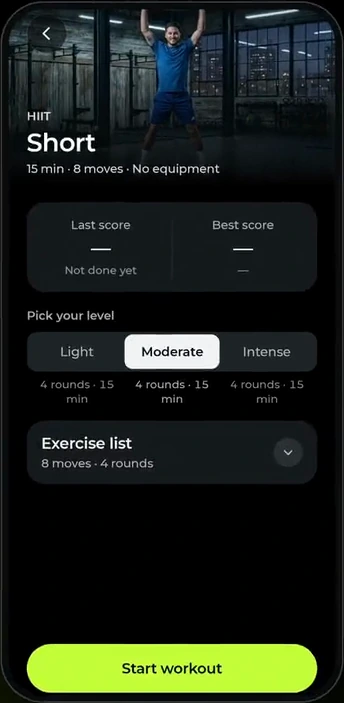
- HIIT, kickboxing, strength and full body
- Every workout at three levels
- The camera counts your reps
- Challenges of 30 to 60 seconds
Nutrition
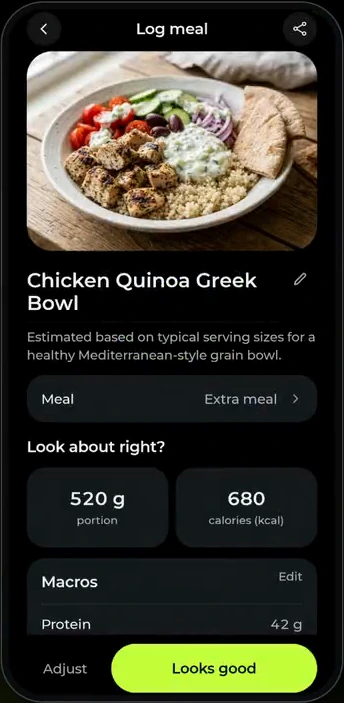
- Log by photo, text, voice or barcode
- A meal plan with weekly menus
- Calorie tracking without judgement
Calm
- Audio sessions from a few minutes to a quarter of an hour
- Breathing exercises and short meditations
Coach
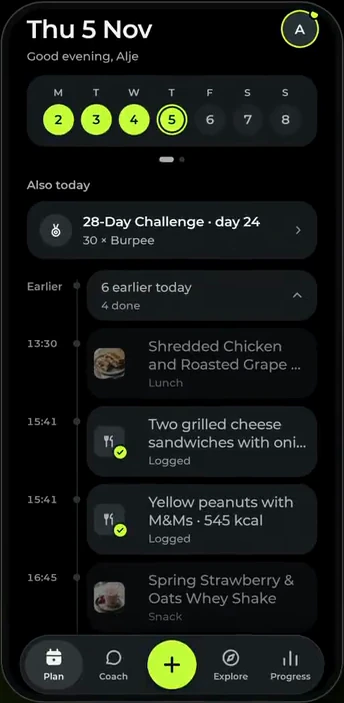
- Check-ins on WhatsApp
- Reminds you at your moment
- Brings you back after a break, without the guilt
See it by goalLose weightGet strongerGet fitter
What happens after you download
Install the app
From the App Store or Google Play. It is a phone app; it does not run on a computer.
A short welcome
A welcome video and a first look at what the app does. You do not need an account yet.
Answer the plan questions
Make an account with Google, Apple or a code by email. There is no password. If you paid on this website, choose email and use the address you paid with. The questions take about two minutes: your goal, your days, where you train and how much time you have.
Choose how long and pay once
The app builds your plan and shows you a preview. If you already paid on this website and signed in with the same email address, your period is ready. Otherwise you choose 3, 6 or 12 months and pay through the store account on your phone.
Start day 1
Tap Start my plan and day 1 begins right away. Your meal plan is prepared in the background.
You buy months, not a subscription
Choose a length. The last day is the end: access stops by itself and nothing more is charged.
If you start today
€293 months
works out at €9.67 a month
Black Friday price, until Monday 30 November. From 1 December €39.
One payment of €29. Access for 3 months. No automatic renewal.
Last day. Access ends by itself. Nothing is charged.
You pay on this website, through Stripe. Then you download the app and sign in with the email address you paid with.
Questions about paying
What does Fittar cost?
You pay once: 3 months for €29, 6 months for €49 or 12 months for €89. Every length includes the whole app. If you pay in the app, the price shown in your store is the one that counts.
Is it a subscription?
No. You pay once for the length you choose, and nothing renews automatically. There is nothing to cancel, because nothing is charged again. In Settings, Plan length shows when your period ends and how many days are left.
Is there a free trial?
No. After making an account you answer the plan questions, see a preview of your plan and can look around the app. Starting a workout or logging a meal unlocks once you choose a length.
How do I pay?
On this website or in the app. On the website you choose a period on the pricing page and pay through Stripe, for example with iDEAL, a card, Apple Pay or Google Pay. In the app you pay through the App Store on iPhone or Google Play on Android. What you buy and what it costs is shown before you confirm.
I paid on the website. How do I get into the app?
Download the app, choose to sign in with email and enter the address you paid with. You get a six-digit code by email. There is no password. Your period is then ready. Signing in with Apple or Google only works if that account uses the same email address. If the app still asks you to pay, email info@fittar.eu.
What happens when my period ends?
Access ends by itself and nothing is charged. Everything you did stays saved. If you want to go on, you choose a new period, in the app or on this website.
How do I extend?
Tap your profile picture to open Settings, go to Plan length and tap Extend. You can also buy a new period on this website, with the email address of your account. If you extend before the end, the new time is added on top of what you have left.
Can I get a refund?
Not from the app, and the coach cannot arrange it either. If you paid in the app, refund requests are handled by the App Store or Google Play, under their rules. If you paid on this website, email info@fittar.eu.
I have a new phone. Do I have to pay again?
No. Sign in with the same method and email as before. If you paid on this website, that is all. If you paid in the app and it still asks you to pay, tap Restore purchases. The phone must use the same App Store or Google Play account that paid. A purchase made on iPhone cannot be managed from Android, or the other way around.
Download Fittar
- 3 months
- €29
- 6 months
- €49
- 12 months
- €89
Pay once, no subscription
Paid on this website? Sign in with the email address you paid with. No period yet? Choose one here, or pay in the app.